
Field Notes from N1JUR
Real-world ham radio tips, portable operating lessons, gear thoughts, and activation stories from the field to the shack.
What You’ll Find Here
This blog is where I go deeper than a YouTube description. You’ll find practical ham radio guides, activation lessons, gear breakdowns, and field notes from real operating experiences.
Some posts are beginner-friendly. Some get a little more technical. And some are just honest lessons from the field — because not every activation goes perfectly, and that’s usually where the good stuff happens.
Portable operating tips
POTA, SOTA, and location-based activation ideas
Gear and antenna experiments
Beginner-friendly ham radio guides
Field stories and lessons learned

Connecting Communities: How Your Ham Radio Club Can Educate the Public on Amateur Radio
As a ham radio club member, you can positively impact your community by educating the public about the exciting world of amateur radio. By hosting public demonstrations, offering licensing classes, organizing field days, collaborating with schools and youth groups, and utilizing social media and online platforms, your club can reach a wider audience and inspire others to discover the joys of ham radio. Together, let's continue to connect communities and share our passion for amateur radio with the world.
Ham radio, also known as amateur radio, is a fascinating hobby that allows individuals to communicate worldwide using radio frequencies. However, many people are unfamiliar with this hobby and its potential benefits. As a ham radio club member, you have a unique opportunity to educate the public and raise awareness about the world of amateur radio. This blog post will explore creative ways for your ham radio club to get out in the community and share your passion for ham radio with others.
Host Public Demonstrations:
One of the most effective ways to educate the public about ham radio is to host public demonstrations or events. Consider setting up a booth at a local community fair, festival, or farmers' market where you can showcase different aspects of ham radio. You can demonstrate how to operate a ham radio, explain the basics of radio communication, and even allow visitors to try to send a message.
Offer Licensing Classes:
Another great way to engage with the community and promote ham radio is to offer licensing classes for those interested in becoming amateur radio operators. By providing training and resources to help individuals obtain their ham radio license, you can empower more people to join the hobby and expand the reach of amateur radio in your community.
Organize Field Days:
Field days are popular events in the ham radio community where operators set up temporary stations in outdoor locations to practice their emergency communication skills. Organizing a field day in a public park or other outdoor space can be a great way to showcase the capabilities of ham radio and engage with the community. Invite the public to observe the event, ask questions, and even participate in some hands-on activities.
Collaborate with Schools and Youth Groups:
Partnering with local schools, youth groups, or scouting organizations can be a fantastic way to introduce young people to the world of ham radio. Consider offering presentations or workshops at schools, hosting a radio merit badge event for scouts, or organizing a youth-focused ham radio contest. By engaging with young audiences, you can inspire the next generation of amateur radio operators and ensure the hobby’s longevity.
Utilize Social Media and Online Platforms:
In addition to in-person events, don't underestimate the power of social media and online platforms to educate the public about ham radio. Create a website or social media account for your ham radio club to share information, resources, and updates about upcoming events. Consider creating educational videos, blog posts, or podcasts to reach a wider audience and raise awareness about the benefits of ham radio.
As a ham radio club member, you can positively impact your community by educating the public about the exciting world of amateur radio. By hosting public demonstrations, offering licensing classes, organizing field days, collaborating with schools and youth groups, and utilizing social media and online platforms, your club can reach a wider audience and inspire others to discover the joys of ham radio. Together, let's continue to connect communities and share our passion for amateur radio with the world.

Get Connected: Setting Up Your Ham Shack Hotline
Ham Shack hotline primer. Learn more about the non-traditional Communications mode that can open up your world to Ham Radio Communications.
Hey there, fellow radio enthusiasts! Are you ready to take your ham radio game to the next level? It's time to set up your very own ham shack hotline and open the door to a world of communication wonders. Let's dive in and discover the benefits and steps to get you up and running in no time!
For those who would like to jump in and get set up, I have a video posted on getting set up with HamShack Hotline.
Benefits of a Ham Shack Hotline
1. Stay Connected: With your own ham shack hotline, you can easily connect with other amateur radio operators near and far. It's like having a secret line to the coolest club in town, but for radio lovers!
2. Emergency Ready: When the going gets tough, a ham shack hotline can be a lifesaver. During emergencies or natural disasters, traditional communication may go haywire, but your hotline will keep you in touch with the outside world. Understanding that if you have backup and strong internet it can serve to be another mode of communication
3. Tech Support on Speed Dial: Got a tricky technical question or need help troubleshooting? Your hotline is the direct line to experienced operators who can lend a hand when you're in a radio bind.
Steps to Setting Up Your Hotline
Step 1: Get Your Line
First, you'll need a dedicated phone line for your ham shack. There are several older VOIP Phones you can pick up on the cheap to get set up. You may need to do some digging into how to properly configure it for the service. Y
Step 2: Ring Ring! Choose Your Number
You’ll need to use the HH Setup service which is outlined on their site to acquiring a extension and if you so choose an external number as well.
Step 3: Plug and Play
Install the phone and you’ll need to wait for the implementation team to send you the instructions to provisioning your phone for their network. Once that’s done and a few reboots later you’ll have access to the Ham Radio Hotline Network.
Step 4: Spread the Word
Shout it from the radio waves! Let your local clubs, online forums, and radio nets know about your new hotline. The more, the merrier, right? Get folks in your local club interested as it can help to have a quick way to connect to each other.
Step 5: Let the Connections Begin
With your ham shack hotline good to go, get ready to dial in and make some awesome new connections. Whether it's swapping stories, seeking advice, or just sharing some good old radio banter, your hotline is the place to be.
So there you have it, folks! Setting up your ham shack hotline is a fantastic way to supercharge your radio experience. It's all about staying connected, being prepared, and having a blast while you're at it. Now go on and get that hotline humming with the sound of friendly chatter and radio fun!

TOP 5 HAM IOS APPS : Part Deux
After the immense interest my previous post received on the Top 5 Ham apps, I decided to create a Part 2. Here are five new HAM apps for iOS that you should definitely have on your smartphone.
Following the positive feedback I received on my previous blog post about the best Ham Apps for iOS, I thought I'd share another list. Without further ado, here are five Ham Apps for iOS that I personally find useful. Please note that these apps are presented in no particular order, and some may be free or low-cost. For full transparency, I purchased these apps with my own money, so the reviews are solely based on my own opinion.
Let’s dive in!
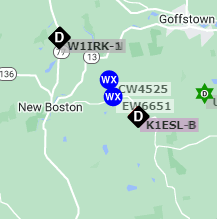
APRS is a well-liked mode utilized in ham radio. The APRS website for tracking plays a significant role in this infrastructure. Whenever possible, I employ APRS on my mobile and handheld devices. I understand that some people feel uneasy about being tracked. Still, I want to emphasize that utilizing APRS on your mobile device improves other tracking systems, particularly in VHF/UHF propagation. Your APRS data can aid in predicting when DX windows open up, as your spotting information provides insight into when and where these openings may occur. The APRS web Shortcut app is one of my smartphone's “important” apps.
APP COST: FREE

I won’t go into much detail with this app as you can easily google it and find a “butt-Ton” of reviews on the app. But if you do any Portable radio or POTA itself, you know its value as a logger. Having it on multiple platforms makes quick, speedy logging the only choice.
You're not alone if you struggle with differentiating between UTC and military time. I often try to calculate the local time when presented with UTC. But with Zulu Time, you no longer have to go through that hassle. This straightforward app has a screen widget that displays the current Zulu time and offers a time converter to help you convert local time to UTC. It's a fantastic addition to your Ham Toolbelt.
APP COST: $3.99

This app may be simple, but it offers a wealth of information when you're out in the field. It utilizes the phone's GPS to determine your latitude, longitude, altitude, and grid square. I find this app incredibly useful when I engage in digital POTA, as it simplifies setting up WSJT-X with the correct grid square.
APP COST: FREE
Building an antenna can be challenging, especially when determining the correct length of wire. While many calculators online can help, I often find myself in a situation where I need to cut the wire and can’t access my paper calculations. That's where HamAntCal comes in - I can quickly get the wire lengths I need with just a few input values. This app offers a variety of calculations for different types of antennas, including ¼ verticals, inverted V's, ½ wave dipoles, and more. Although I don't use it frequently, I always turn to HamAntCal when I need assistance with antenna building.
APP COST: $.99
These are my favorite five Ham apps for iOS. I'm interested in hearing your feedback if you've tried any of them. Additionally, if there are any other Ham apps that you use that I didn't mention, please share them in the comments section. I'm constantly on the lookout for new Ham apps to test out!

Review: RepeaterPhone for iOS
If you're searching for an application that can link to both echolink and Allstar, then your search is over because RepeaterPhone has arrived.

Recently, I've been searching for an iOS application that can help me connect to the Allstar node. I've been using the Echolink app for a while, but it's starting to feel outdated, even though it allows me to connect via my iPhone. Let's save those comments for later before anyone criticizes it for not being "real radio" and RF infractions.

Before I discuss the app and its features, let me give you some context. My father lives about three hours away from me and has a small radio station. He can connect to many local repeaters and uses Echolink to try to join the club nets in my area. He was successful for some time with an Echolink node connected to the club's repeater. However, for reasons I won't go into, that "lifeline" was taken down, and his communication with the club was cut off.
Although we're still working on a solution, I wanted to find a way to connect him back to the club. That's where my Allstar node comes in. We have a club repeater with a digital connection, but the feedback from members is that analog users hear "digital static" when the machine is in "digital" mode. Balancing between modes can be difficult.
That's where AllStar comes in. For those unfamiliar with this mode, it's an analog IRLP solution that provides a "digital bridge" to other nodes/repeaters worldwide. Like most digital modes, it uses nodes for rooms or reflectors, but there's a huge advantage. You don't need a digital radio.
Now that the nodes are running, I started looking for an "all-star specific" app. That's when I found RepeaterPhone. This app is available on iOS, well-designed, and easy to use. However, the price is a bit steep, considering the features it offers. But I'm not complaining since most apps with a good development team behind them should cost something. In the ham community, we tend to look for the cheapest solution, but sometimes, quality comes at a price.
App Features/Setup

It's pretty simple. First, navigate the settings app and adjust the menu options before creating a new account. One of the best features is the QRZ lookup, which quickly identifies callsigns and nodes. Once that's done, create a new account and enter your Allstar credentials, which are used to log in to the portal and access the node directory. If everything was entered correctly, your Allstar account should be active.
Now, head to the directory tab at the bottom of the page and search for the node you want to connect to. The app is designed with an intuitive layout, similar to the Echolink app, making it easy and enjoyable.
In summary
This application is an excellent complement to your collection of iOS apps for Ham enthusiasts. Its reliable functionality allows you to stay in touch with others. My dad is a frequent app user and has found it a convenient way to connect with Echolink and Allstar and make contacts directly from his mobile device.
You can learn more about the app by heading over to

Be a POTA Ninja with Ham Alert
Has the Worked All States Award for POTA/ARRL eluded you? Well I hopefully can help with that by offering up a solution that will give you a “leg up” and get that much needed state!
I recently shared a video on YouTube regarding the use of Ham Alert and POTA Parks Page to receive automatic notifications when a park is activated. Due to my busy schedule in the past few months, I have found it difficult to keep up with the spotting page, which has made it challenging to chase down the last three states for "Worked All States" - Alaska, Hawaii, and DC. However, I discovered that Ham Alert now allows trigger filters for "multiple lists" of parks, and I created a tutorial video on how to set this up. Furthermore, I have documented the process in a blog post that may be helpful for those interested in using Ham Alert.
Here are the steps for setting up Ham Alert for State Reference Notifications
What you’ll need:
The list of States you need to complete WAS
A login for POTA.APP and HamAlert.org
Steps:
From the POTA.APP page, go to the Curtain Menu on the left of the site and click Park Lists
From the search box, enter the state you want the park list from and select that reference.
After viewing the list, click on the right-hand side “download” and select CSV.
Once you download the CSV file, open it up in your favorite spreadsheet editor.
You will now select all rows in the first column titled “reference,” as these will be all the active parks for that state. You should copy them into your memory.
Now open up Ham Alert and click the “+” to create a new trigger.
From the trigger window, select the source from the dropdown.
Click the dropdown and select POTA from the list of Sources
Then click out of the box and click the next trigger and select “POTA Reference list.”
Paste all the park references into the box and click outside. It will sort and organize the list with the proper spacing and commas.
Next, you choose the action you want to be notified of. Note: This will generate more alerts than you used to be so prepared if you use SMS or email. I prefer using the App option.
In the comments field, use a clear and concise description, as the report will be in the details of the notification. You’ll use this reference to determine why you got this Ham Alert.
Click save and “rinse, lather, and repeat” with all the other states you need to create triggers for.
Conclusion
This process is a great way to understand how Ham Alert can be the tool to notify you in real-time that a contact is waiting for a QSO.